
PERFORMANCE / EST. 2026
← All guides

Quick Reference

BMW F30 CarPlay: activation, MMI or head-unit retrofit?

Identify the existing head unit and equipment before choosing a CarPlay route; model year alone is not enough.

GUIDE OVERVIEW

Difficulty
Introductory · 1/5
Time
2 min read
Vehicle / platform
BMW F30 · 328i / 335i / 340i

APPLIES TO

  • F30328i · 335i · 340i

ENGINE · N20 / N26 / N55 / B58

Check full compatibility for model-year, engine and equipment limits.

Full compatibility

F30 — 328i

Make
BMW
Model years / scope
2012–2016 US sedan; topic relevance, not blanket product compatibility
Engine
N20 / N26
Drivetrain
RWD / xDrive: verify the exact product application
Transmission
Confirm exact gearbox before ordering
Production date
Confirm by VIN
Region
US model-year discovery; product approval varies by market
Option / package
Read kit-specific exclusions

This is a research and buying guide. Matching this vehicle does not certify every product mentioned as compatible.

Sources 1

F30 — 335i

Make
BMW
Model years / scope
2012–2015 US sedan; topic relevance, not blanket product compatibility
Engine
N55
Drivetrain
RWD / xDrive: verify the exact product application
Transmission
Confirm exact gearbox before ordering
Production date
Confirm by VIN
Region
US model-year discovery; product approval varies by market
Option / package
Read kit-specific exclusions

This is a research and buying guide. Matching this vehicle does not certify every product mentioned as compatible.

Sources 1

F30 — 340i

Make
BMW
Model years / scope
2016–2018 US sedan; topic relevance, not blanket product compatibility
Engine
B58
Drivetrain
RWD / xDrive: verify the exact product application
Transmission
Confirm exact gearbox before ordering
Production date
Confirm by VIN
Region
US model-year discovery; product approval varies by market
Option / package
Read kit-specific exclusions

This is a research and buying guide. Matching this vehicle does not certify every product mentioned as compatible.

Sources 1

Identify the system before buying a screen

Record the head-unit version, software interface and existing options. Model year helps narrow the possibilities but cannot establish the installed hardware, especially on a previously modified car. A larger display does not automatically add CarPlay capability. Get a compatibility assessment using the vehicle’s actual configuration.
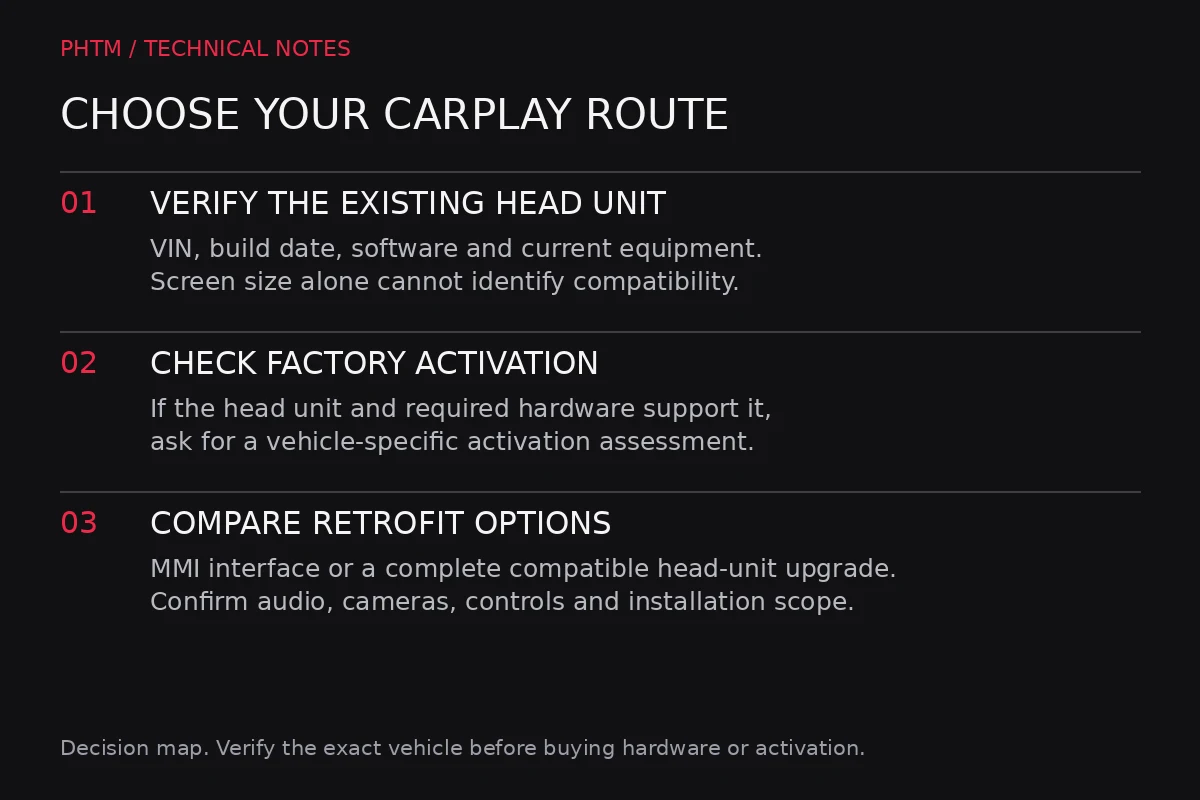
CarPlay decision path. Identify the installed system before choosing activation or retrofit hardware.
Identify the installed system before choosing activation or retrofit hardware. — PHTM Performance

Sources 1, 2

Activation is a specific route

BimmerTech distinguishes compatible later NBT Evo configurations from older systems that need additional hardware. Ask whether your exact head unit supports activation and whether the necessary Wi-Fi hardware is present. Do not purchase an activation service merely because another F30 of the same year used it.

Sources 1, 2

An MMI interface retains a different set of trade-offs

An interface adds a separate CarPlay path around the original system. Before choosing one, check how it handles audio, microphone input, the controller, steering-wheel buttons, the factory camera and switching back to the original menus. Ask for the correct harness and display compatibility for your car. Wireless support and reliable audio integration are separate questions.

Sources 1, 2

A head-unit retrofit is a larger project

A replacement head-unit route can involve more hardware, configuration and integration work than adding an interface. Get a complete scope rather than comparing the box price with an activation quote. Clarify what original functionality remains and who handles any configuration issues after installation. We have not performed a same-car comparison of these routes.

Sources 1, 2

Acceptance checks before calling it finished

Test phone pairing, a call, music, navigation prompts and source switching while parked. Verify the controller, microphone and any factory camera or parking display involved in the installation. Confirm that the original menus remain accessible and that a normal vehicle restart behaves as expected.

Choose the least invasive verified route that meets your needs. Keep copies of the supplier’s compatibility confirmation and instructions; they are more useful than a generic promise that a kit fits all F30s.

Sources 1, 2

Sources / references 2
  1. BimmerTech: CarPlay retrofit paths ↗Reviewed Oct 6, 2026
  2. BimmerTech: F30 technology upgrade configurations ↗Reviewed Oct 6, 2026

Questions about this guide?

Share your vehicle details and what you have tried. Community posts are moderated; technical answers require verification.

Related discussions → · Ask a question →
SHARE GUIDEX ↗Facebook ↗

KEEP READING

MORE FROM PHTM

Quick Reference

BMW F30 mods: build a plan before buying parts

A practical order for F30 modifications: establish the baseline, choose a goal and match parts to your actual engine.

READ GUIDE →
Quick Reference

2017 F30 service display: what the reminders cover

Read the 2017 US maintenance display without assuming every service item has its own countdown.

READ GUIDE →
Quick Reference

AKI vs RON: why US and overseas octane numbers differ

US pump octane uses the antiknock index, commonly shown as the average of research and motor octane numbers.

READ GUIDE →
Quick Reference

Axle-back vs cat-back exhaust: what actually changes?

Read the system diagram before assuming two exhaust kits replace the same parts.

READ GUIDE →